.png)
UC7235T4 | Anderic Universal Smart WIFI Ceiling Fan Receiver & Remote Control Kit User Guide
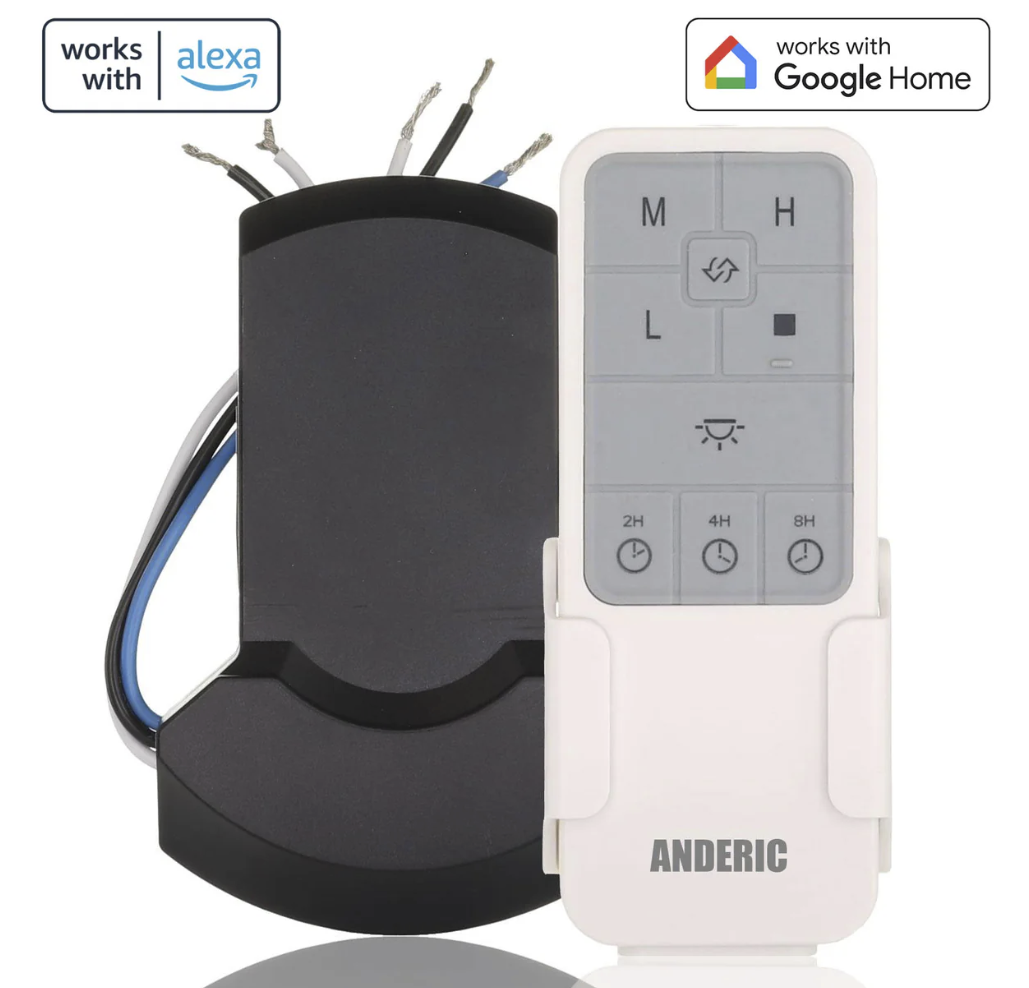
This Article pertains to the Anderic UC7235T4 Universal Smart WIFI Ceiling Fan Receiver & Remote Control Kit - Works with Google Home & Alexa
RECEIVER INSTALLATION
NOTE: Before the electrical power is disabled for the installation of the receiver, pull-chain fan light kits must be left in the on position and the ceiling fan on the highest speed.
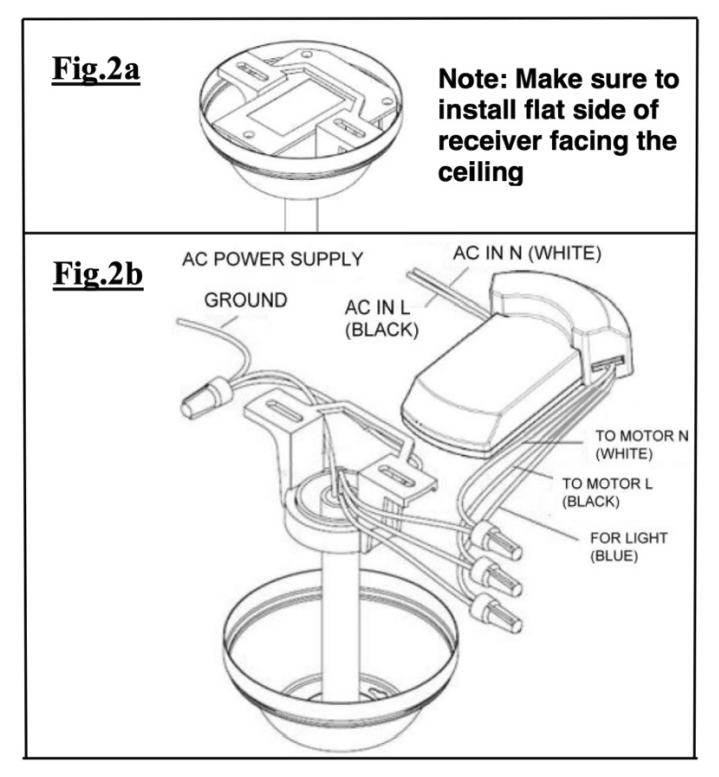
- Insert the Receiver into the Hanger Bracket with the flat side of the Receiver facing the ceiling. (Fig. 2a)
- Motor to Receiver Electrical Connections:
- Connect the WHITE wire from the fan to the WHITE wire marked “TO MOTOR N” from the Receiver.
- Connect the BLACK wire from the fan to the BLACK wire marked “TO MOTOR L” from the Receiver.
- Connect the BLUE wire from the fan to the BLUE wire marked “For Light” from the Receiver. (Fig. 2b)
- Receiver to House Supply Wires Electrical Connections:
- Connect the WHITE wire (Neutral) from the outlet box to the WHITE wire marked “AC in N” from the receiver.
- Connect the BLACK wire (Hot) from the outlet box to the BLACK wire marked “AC in L” from the receiver. Secure all wire connections with the plastic wire nuts provided. (Fig. 2b)
After all splices are made, check to make sure there are no loose strands. As an additional precaution, we suggest securing the plastic wire connectors to the wires with electrical tape.
PAIRING THE HAND-HELD REMOTE WITH THE RECEIVER
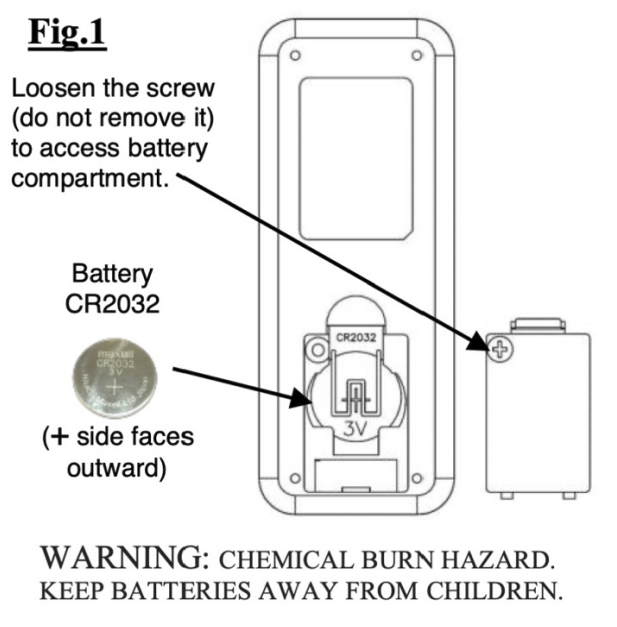
- Install the battery into the remote control (See Fig. 1)
- Cycle the power to the fan.
- Within 60 seconds of turning the power ON, press and hold the FAN OFF (stop) button for 5 seconds.
- The fan lights will blink to confirm successful pairing.
OPERATING THE HAND-HELD REMOTE CONTROL
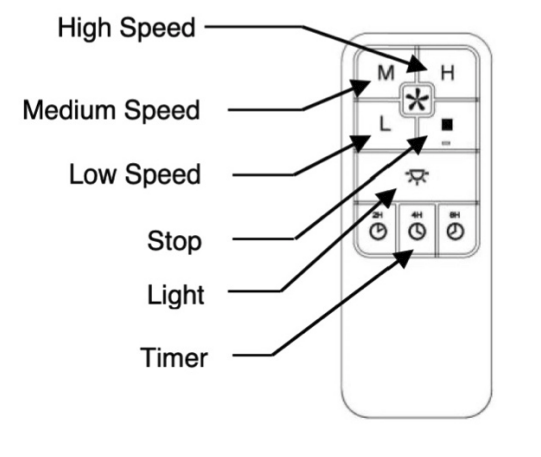
Light Button
- Press and release the button to turn the lights ON & OFF.
- Press and hold the light button to cycle between bright and dim settings.
Speed Buttons
- L- Low Speed
- M- Medium Speed
- H- High Speed
- Press and release the button for the desired speed
Stop Button
- This Button stops the fan (Does not power off the lights, only the fan)
Timer Buttons
- 2H- Turns the fan on for 2 hours
- 4H- Turns the fan on for 4 hours
- 8H- Turns the fan on for 8 hours
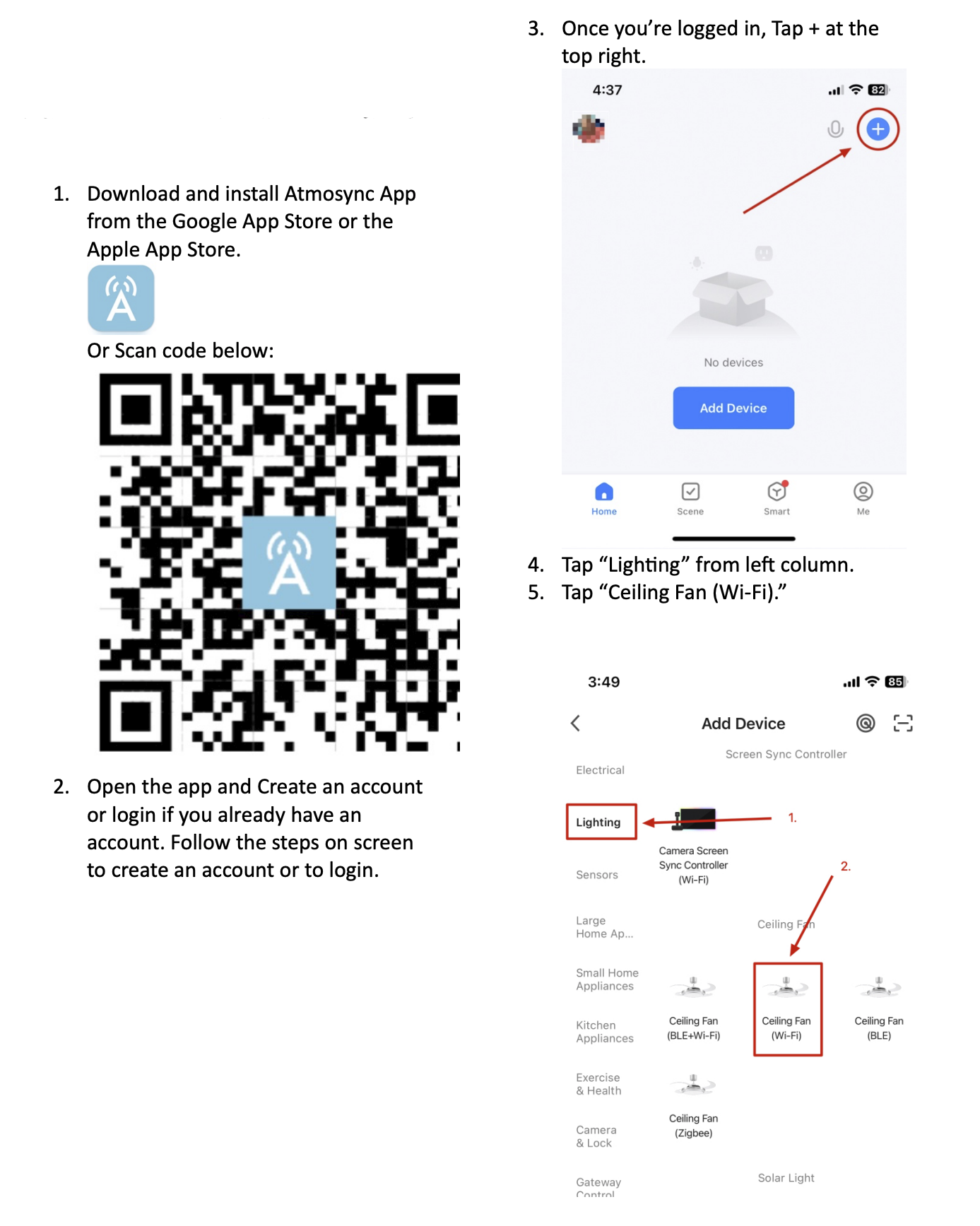
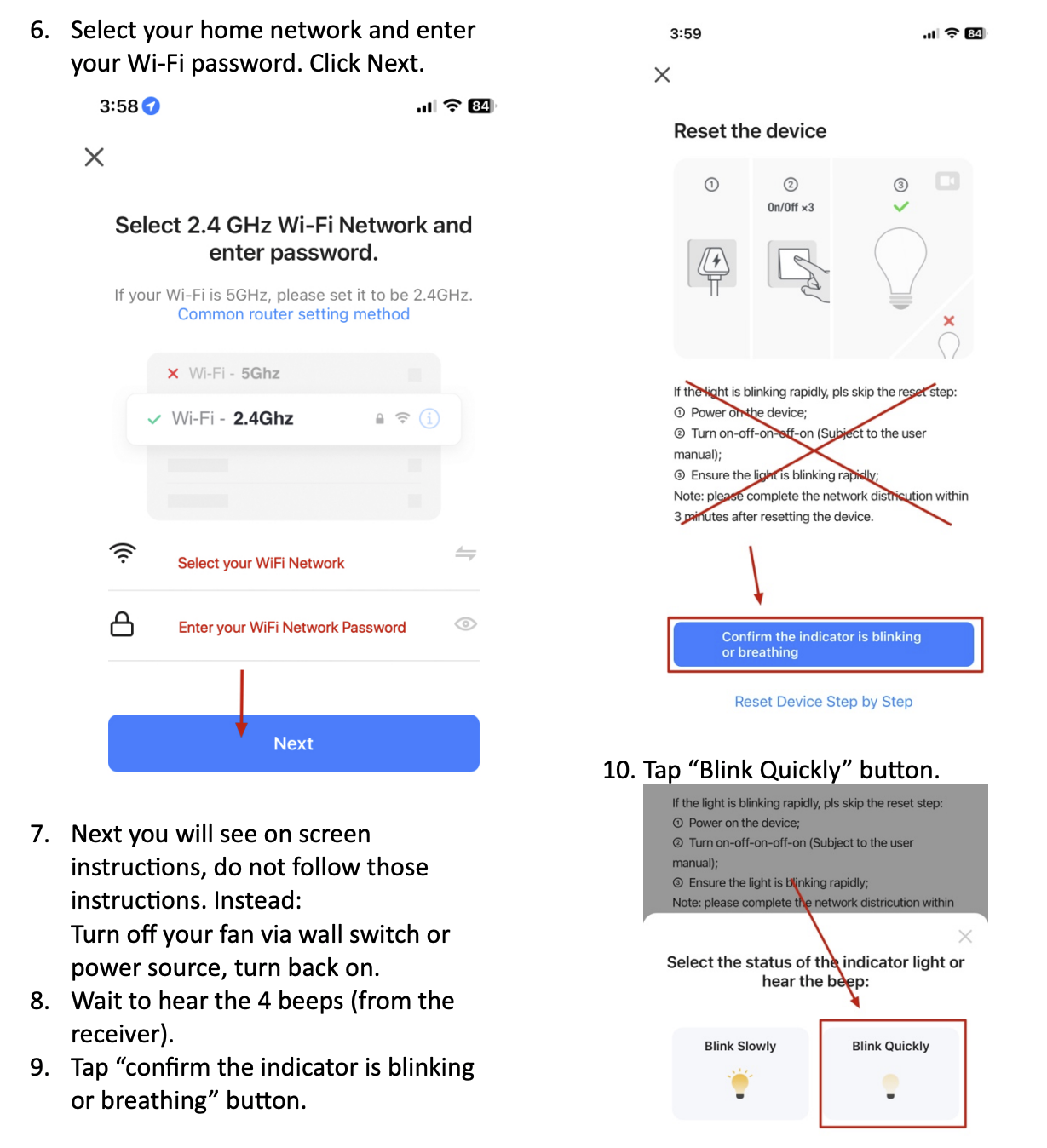
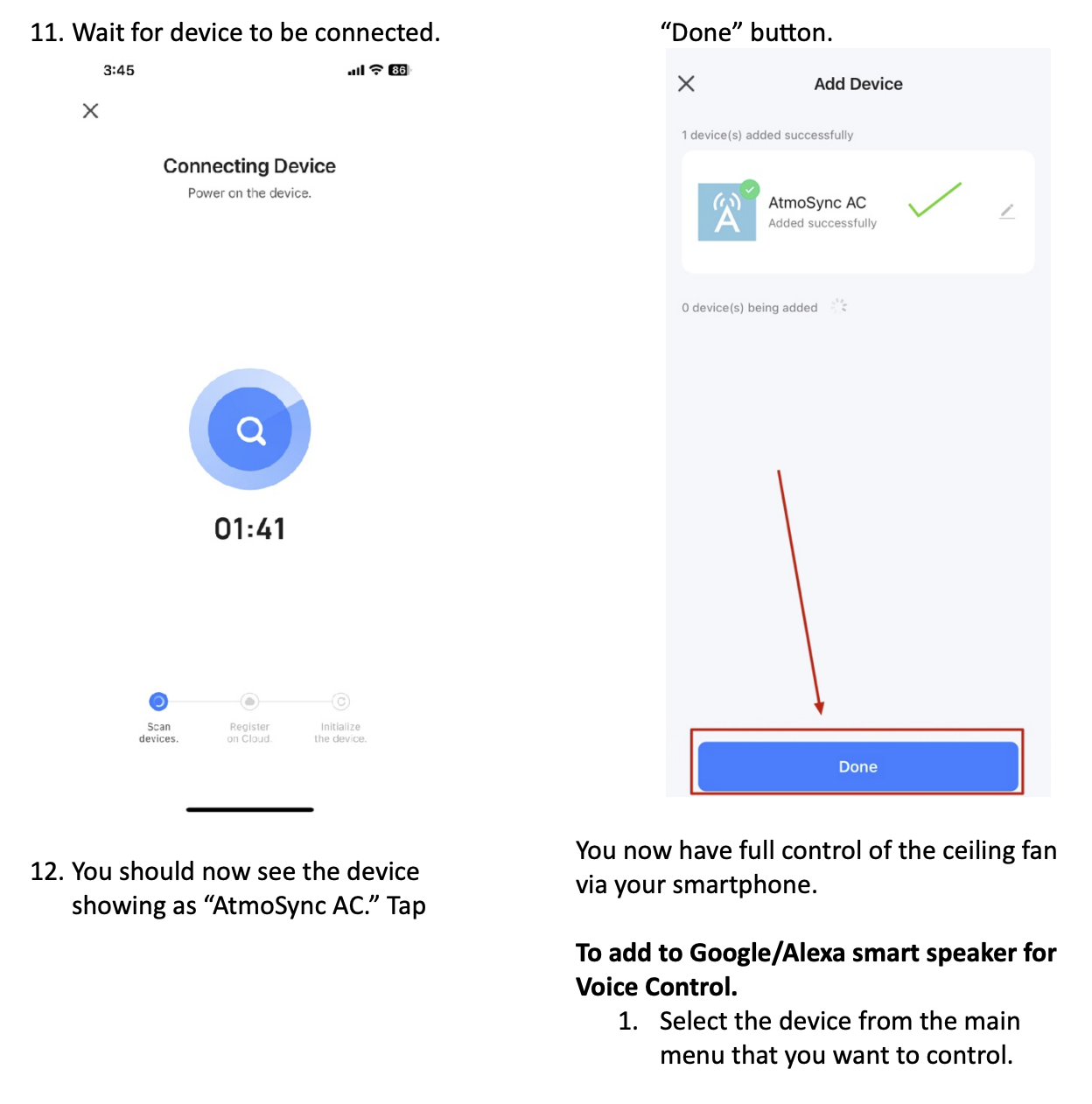
PAIRING YOUR PHONE
NOTE: Apps may update, and the process may change. The steps below may vary, but should be close to the same procedure.
-
Can use your choice of Smart Apps to sync with your smart home.
-
Atmosync,
-
SmartLife,
-
Tuya Smart App.
The SmartLife app is the most popular.
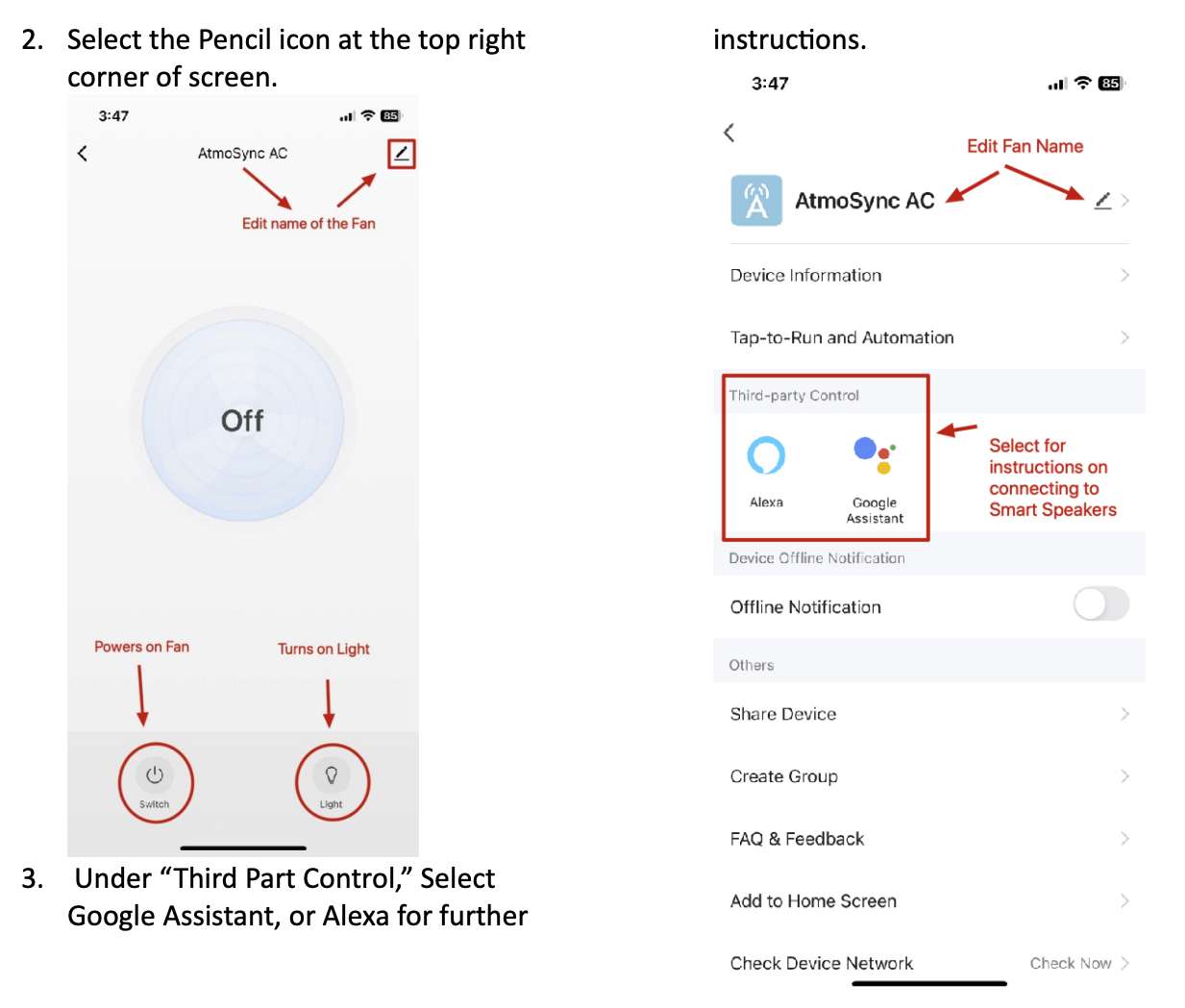
- FAQ: Can I use Google Home or Alexa to control the fan?
Yes, you can voice control the fan and lights separately using the app, Google Home, or Alexa.